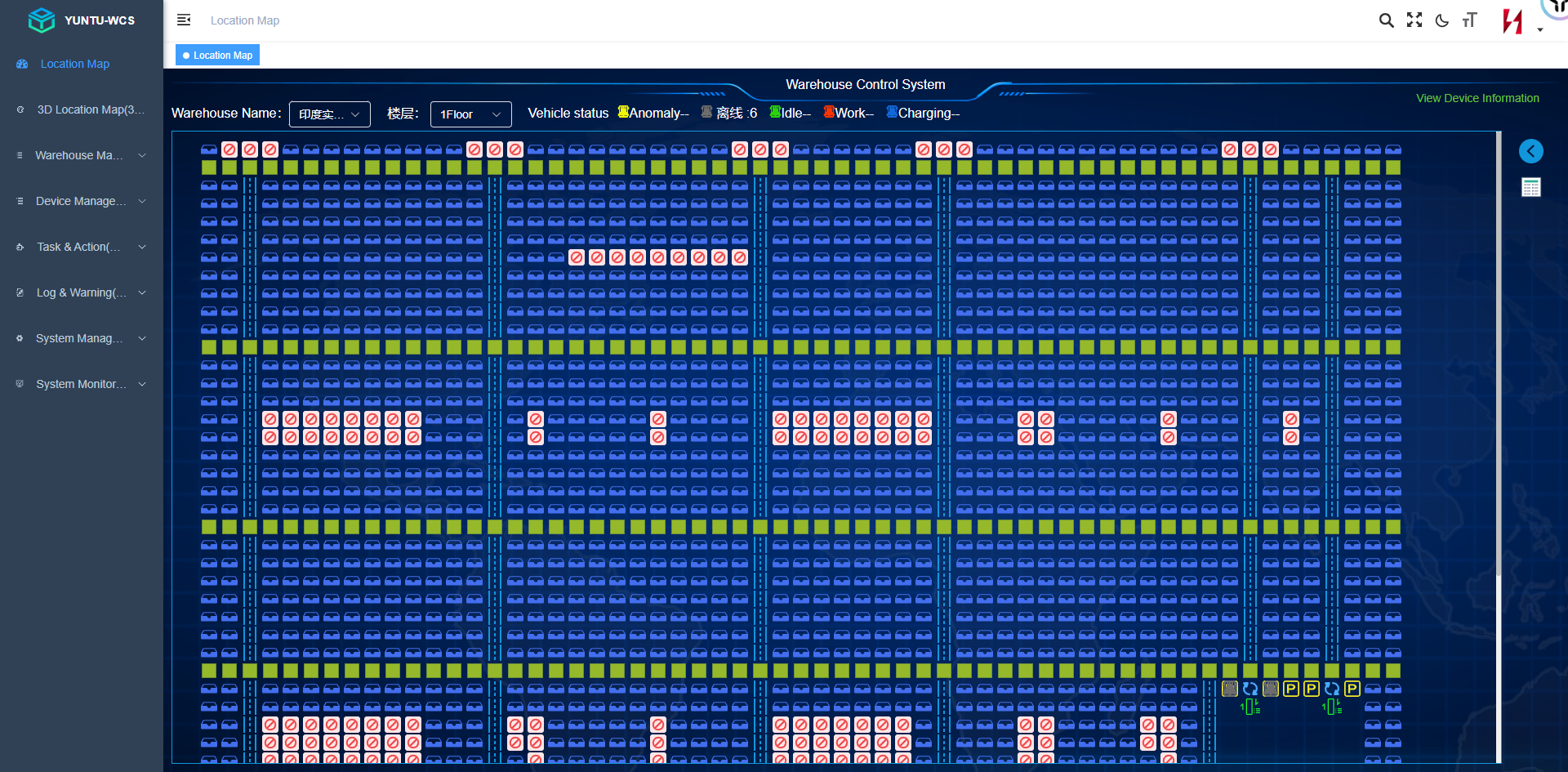
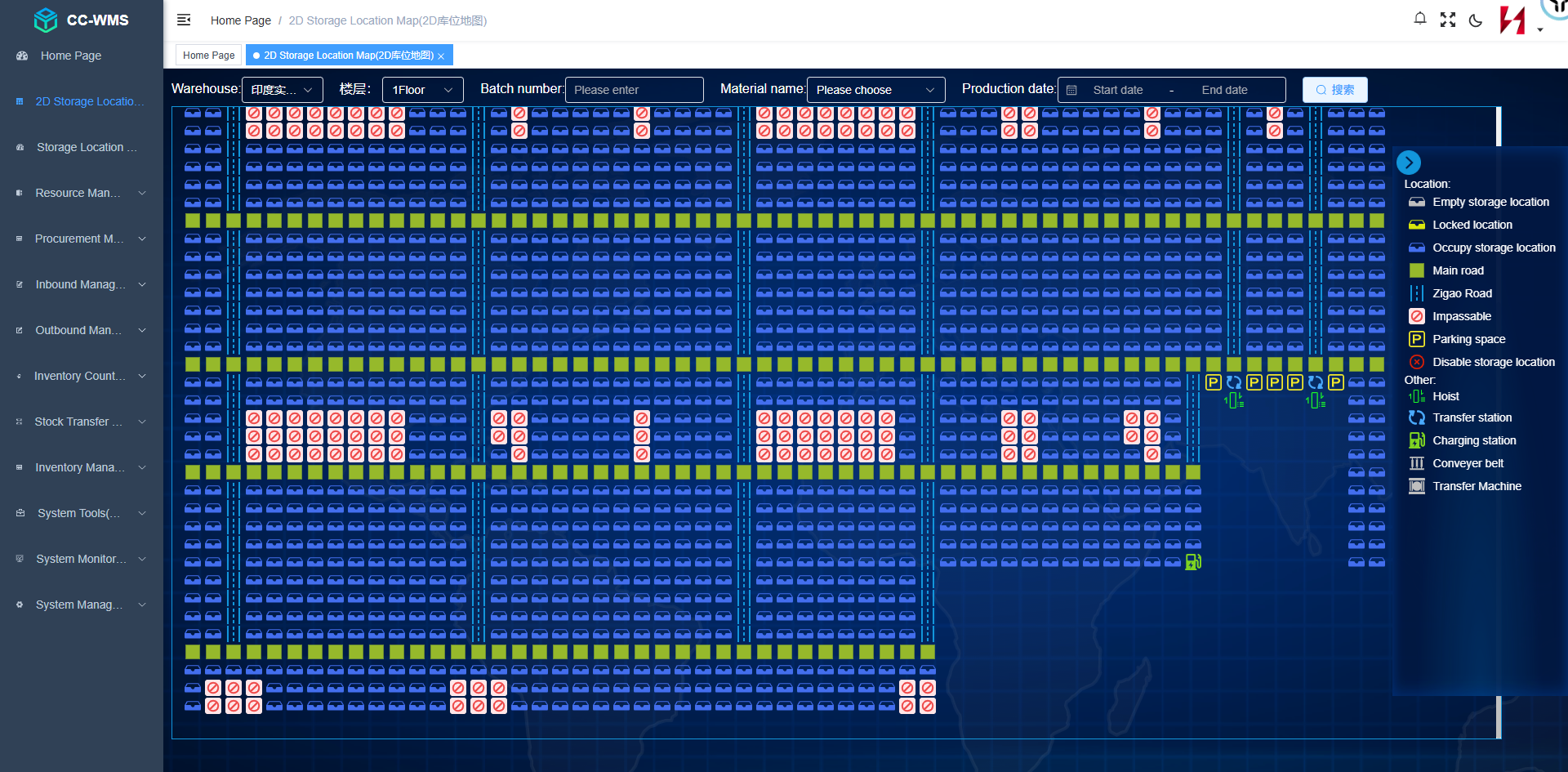
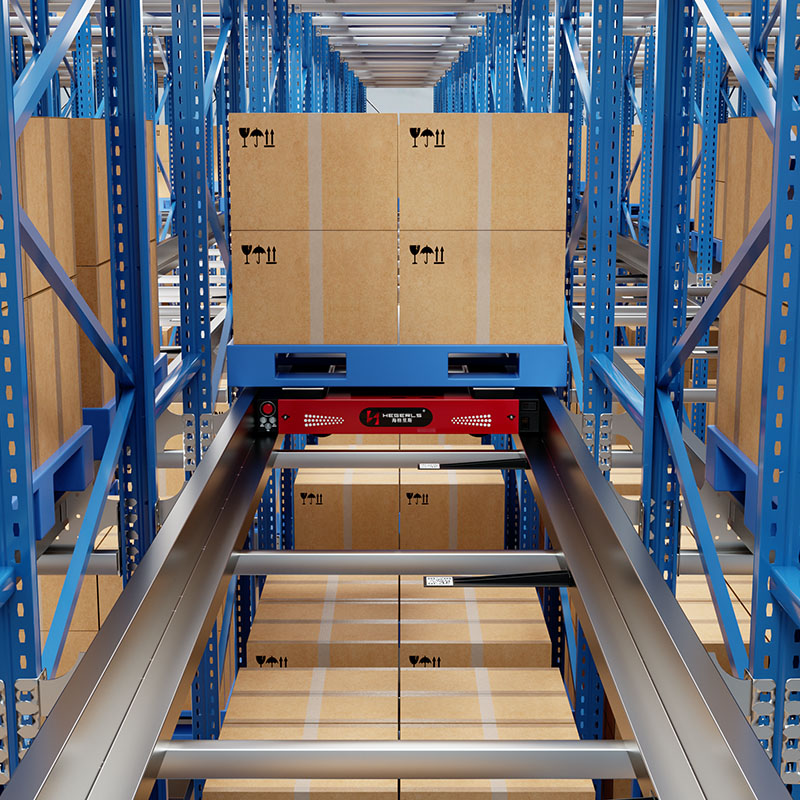
Warehouse tracking systems help businesses monitor inventory, identify product locations, record stock movements, and maintain visibility across warehouse operations. By combining identification technologies such as barcodes and RFID with warehouse management software, businesses can track goods from receiving and storage to picking, packing, and dispatch.
In automated warehouses, tracking can extend beyond inventory records to include storage-location status, material movement, equipment tasks, and operational exceptions. When integrated with warehouse management systems (WMS), warehouse control systems (WCS), and automated storage and retrieval systems (AS/RS), warehouse tracking supports more coordinated and transparent operations.
However, warehouse tracking is not a single technology. A barcode system, an RFID-based inventory solution, a real-time location system, and an automated warehouse control platform serve different purposes. Selecting the right solution requires understanding what needs to be tracked, how frequently the information must be updated, and how the data will be used.
This guide explains what warehouse tracking systems are, how they work, the main technologies available, their benefits and limitations, and how to select a suitable tracking solution for manual, semi-automated, and fully automated warehouses.
1. What Is a Warehouse Tracking System?
A warehouse tracking system is a combination of identification methods, data collection devices, software, and operating procedures used to monitor inventory, goods, assets, and their movements within a warehouse.
Depending on the implementation, it can record which product has arrived, where it is stored, when it moves, which order it belongs to, and whether it has been picked or dispatched.
A warehouse tracking system may include:
-
Barcode labels and handheld scanners.
-
RFID tags and readers.
-
Fixed scanning stations and machine-vision systems.
-
Warehouse management software.
-
Sensors and connected material-handling equipment.
-
Location databases and inventory transaction records.
-
WCS platforms and equipment interfaces for automated warehouses.
-
Dashboards, reports, and exception alerts.
The exact configuration depends on the tracking objective. A warehouse that only needs accurate stock records may require barcode scanning and a WMS. A facility that needs to identify tagged assets without line-of-sight scanning may benefit from RFID. An automated warehouse may also need equipment telemetry, storage-location management, and WCS integration.
The purpose of warehouse tracking is to maintain reliable information about what is being stored, where it is located, and how it moves through the operation.
2. What Can a Warehouse Tracking System Track?
Warehouse tracking covers several related but distinct categories. Identifying the tracking objective before choosing the technology helps avoid unnecessary investment.
Inventory and Product Tracking
Inventory tracking records product identity, quantity, SKU, batch or lot information, and stock movements. Depending on the warehouse's requirements, it may also record serial numbers, expiry dates, or other traceability attributes.
Typical applications include:
-
Monitoring receiving and putaway.
-
Recording stock transfers between locations.
-
Maintaining inventory balances.
-
Supporting cycle counting.
-
Tracking picking and dispatch transactions.
-
Identifying discrepancies between system records and physical stock.
The level of traceability depends on the product, labeling method, scanning process, and software configuration.
Storage-Location Tracking
Location tracking identifies where inventory is stored. A location may represent a warehouse zone, aisle, rack, shelf, bin, pallet position, or automated storage address.
A location-based tracking system connects inventory records with a defined storage hierarchy. When a product is moved, the system records the corresponding transaction so that its expected location remains accurate.
In automated warehouses, storage-location tracking may also be linked to equipment tasks. For example, a shuttle or stacker crane may receive a retrieval task for a designated storage address, while the WCS monitors execution and reports task status.
Pallet, Tote, and Returnable-Asset Tracking
Reusable pallets, totes, containers, and other handling units often circulate between receiving, storage, production, picking, and shipping.
Tracking these units can help businesses identify missing assets, improve utilization, and maintain records of movement between operational areas.
Barcodes may be sufficient when workers scan assets at defined checkpoints. RFID can be useful when multiple tagged units need to be identified at compatible reading points without individual line-of-sight scanning.
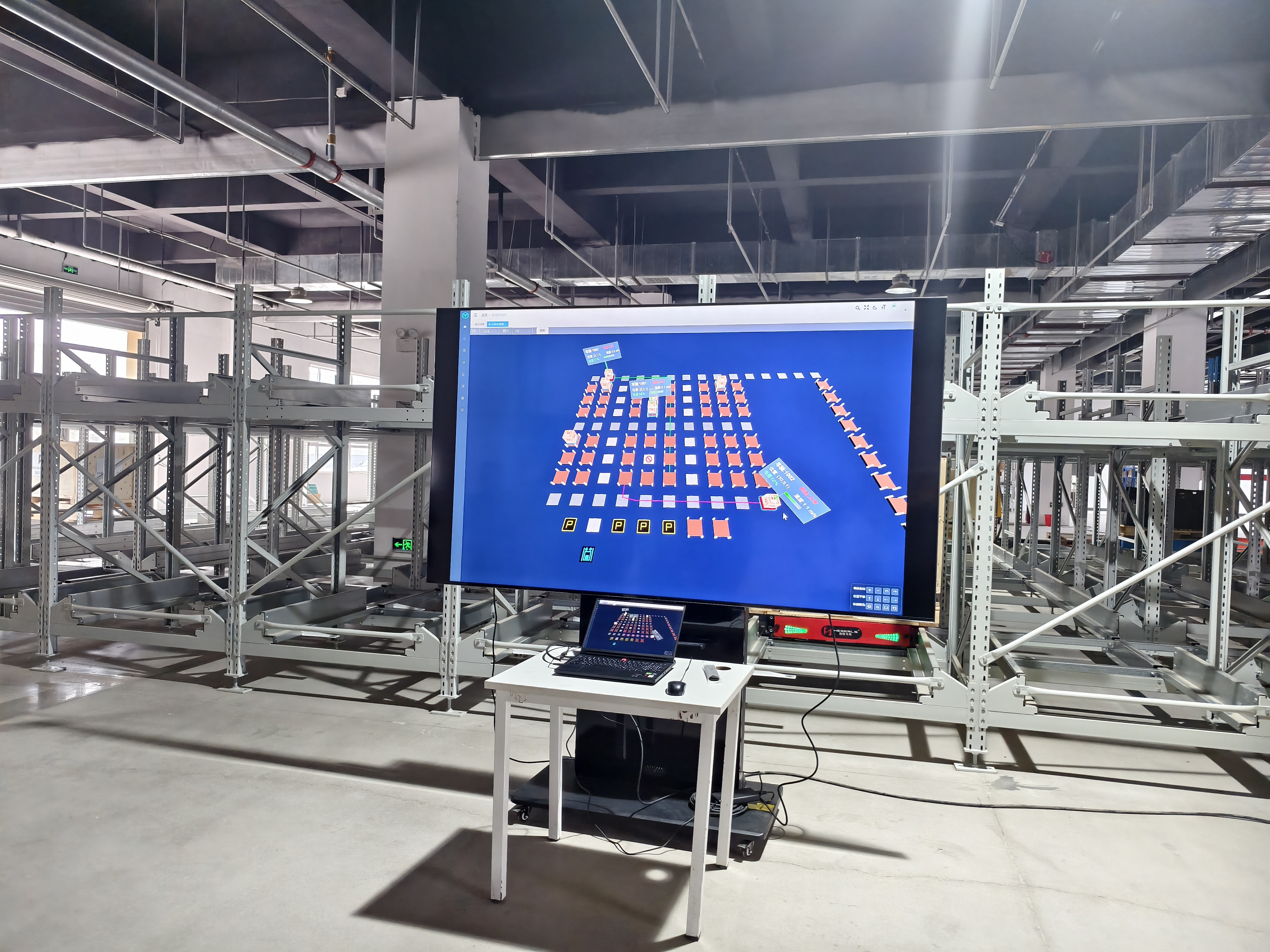
Equipment and Robot Tracking
Equipment tracking focuses on the status and activity of warehouse assets rather than only the goods they handle.
Depending on the system, it may monitor:
-
Robot or vehicle identification.
-
Current operating state.
-
Assigned task and task progress.
-
Reported position or operating zone.
-
Battery or charging status, when supported.
-
Fault codes and maintenance events.
The source of this information matters. A WMS may record the inventory transaction, while a WCS or equipment controller provides movement and task status. Not every warehouse tracking application needs live equipment positioning.
Shipment and Order Tracking
Shipment tracking connects warehouse activities with order fulfillment and dispatch.
A system may record when an order is released, picked, packed, staged, loaded, or handed over to a carrier. External shipment tracking after dispatch may require integration with a transport management system or carrier platform.
Warehouse tracking and parcel tracking are therefore related but not interchangeable. Warehouse tracking focuses on inventory and operations inside the facility, while carrier tracking follows a shipment through the delivery network.
3. How Does Warehouse Tracking Work?
A warehouse tracking workflow generally follows five steps: identification, data capture, transaction processing, location or status updates, and verification.
Step 1: Identify the Product or Asset
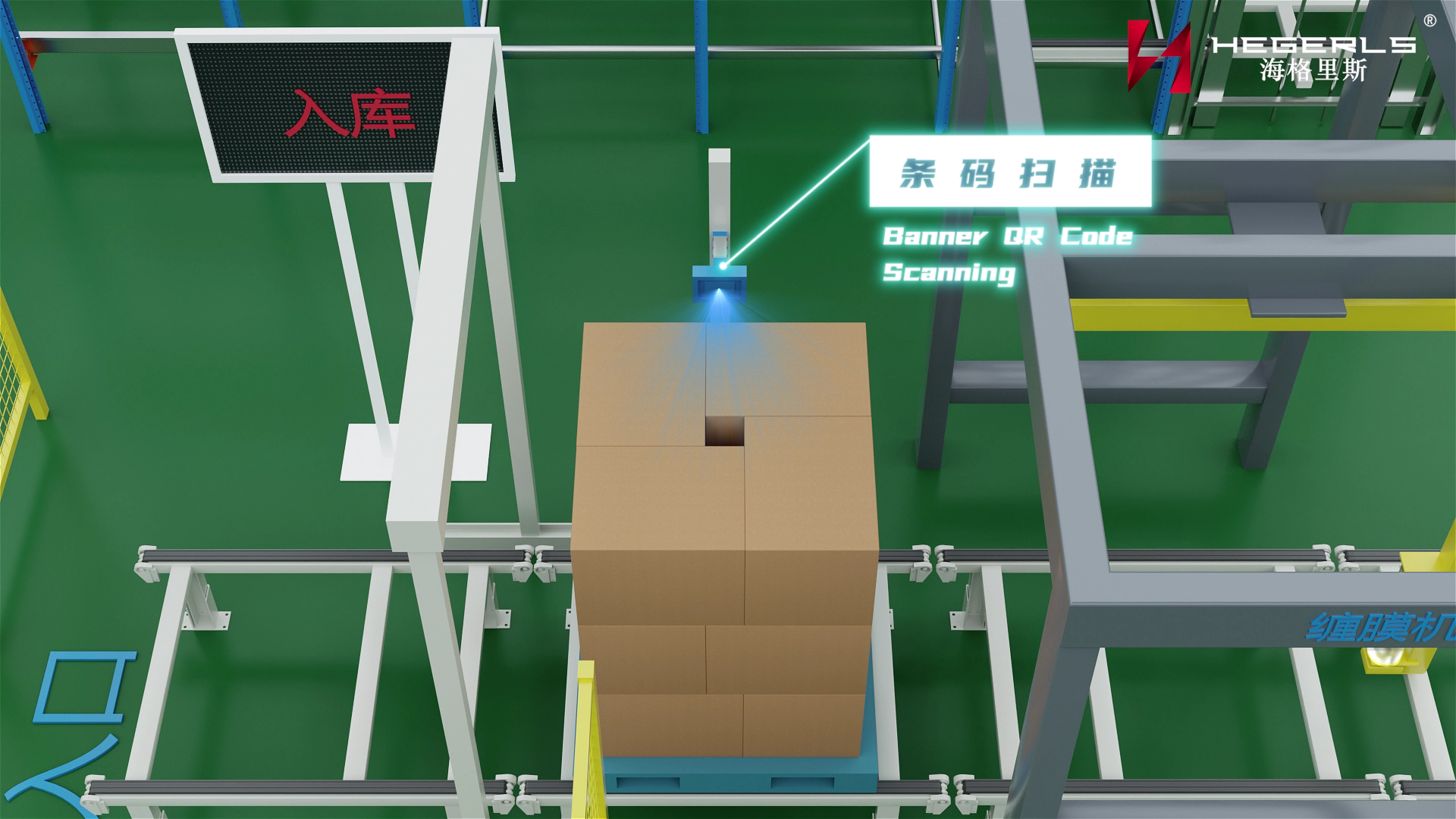
Each tracked item, handling unit, or asset needs an identifier. Depending on the use case, this may be a barcode, QR code, RFID tag, serial number, or another supported identification method.
The identifier should link to a record in the relevant inventory or asset database.
Step 2: Capture the Identification Data
The warehouse collects the identifier using an appropriate device. Examples include handheld scanners, fixed barcode readers, RFID antennas, mobile terminals, or vision systems.
The device must be suitable for the environment and the way goods move. A handheld scanner may work well at a receiving station, while a fixed reader may be preferable at a conveyor checkpoint.
Step 3: Record the Business Transaction
The software associates the captured identifier with an event such as receiving, putaway, replenishment, picking, stock transfer, or dispatch.
The transaction should contain enough information to establish what changed, where the movement occurred, and when it was recorded.
A scan alone does not guarantee accurate inventory. The process must also verify that the scanned item, intended location, and authorized task match.
Step 4: Update the Inventory or Location Record
After a valid transaction is processed, the system updates the relevant inventory balance, location record, or asset status.
In a WMS-managed operation, the WMS typically maintains the warehouse inventory and location records. In an automated facility, a WCS may separately track equipment tasks and execution states.
These records need clear ownership and reliable synchronization. Otherwise, the warehouse may have a correct equipment status but an incorrect inventory record—or vice versa.
Step 5: Verify and Handle Exceptions
The system should identify unexpected events, including duplicate scans, invalid locations, missing identifiers, quantity discrepancies, and incomplete movements.
Depending on the process, exceptions may trigger an alert, a recount, a supervisor review, or a recovery workflow.
A robust tracking solution does not merely collect data. It helps maintain data integrity and provides a controlled way to resolve discrepancies.
4. Main Warehouse Tracking Technologies
Different tracking technologies offer different levels of identification, automation, and location visibility. The best option depends on the goods, operating process, environment, and required accuracy.
Barcode Tracking
Barcode tracking uses printed labels that encode an identifier. A scanner reads the label and sends the identifier to the warehouse software.
Common uses include receiving, putaway, picking, cycle counting, packing, and dispatch.
Advantages
-
Relatively low label and equipment costs.
-
Widely supported by warehouse software.
-
Easy to introduce into manual and semi-automated workflows.
-
Suitable for transaction-based inventory tracking.
Limitations
-
Most conventional barcode workflows require a readable label and a suitable scanning angle.
-
Labels can become damaged, dirty, or obscured.
-
Movement records depend on scans being completed at the correct process steps.
-
A barcode scan does not automatically establish a continuously updated physical position.
Barcode tracking is often a practical starting point for warehouses seeking better inventory accuracy without deploying a more complex identification infrastructure.
QR Code Tracking
QR codes are two-dimensional codes that can store more information than many traditional one-dimensional barcode formats.
They can be useful for equipment identification, product references, maintenance records, and mobile scanning workflows.
However, QR codes are still optical identifiers. Their ability to provide accurate tracking depends on label readability, scanning procedures, and the associated software.
A QR code does not inherently provide real-time location tracking.
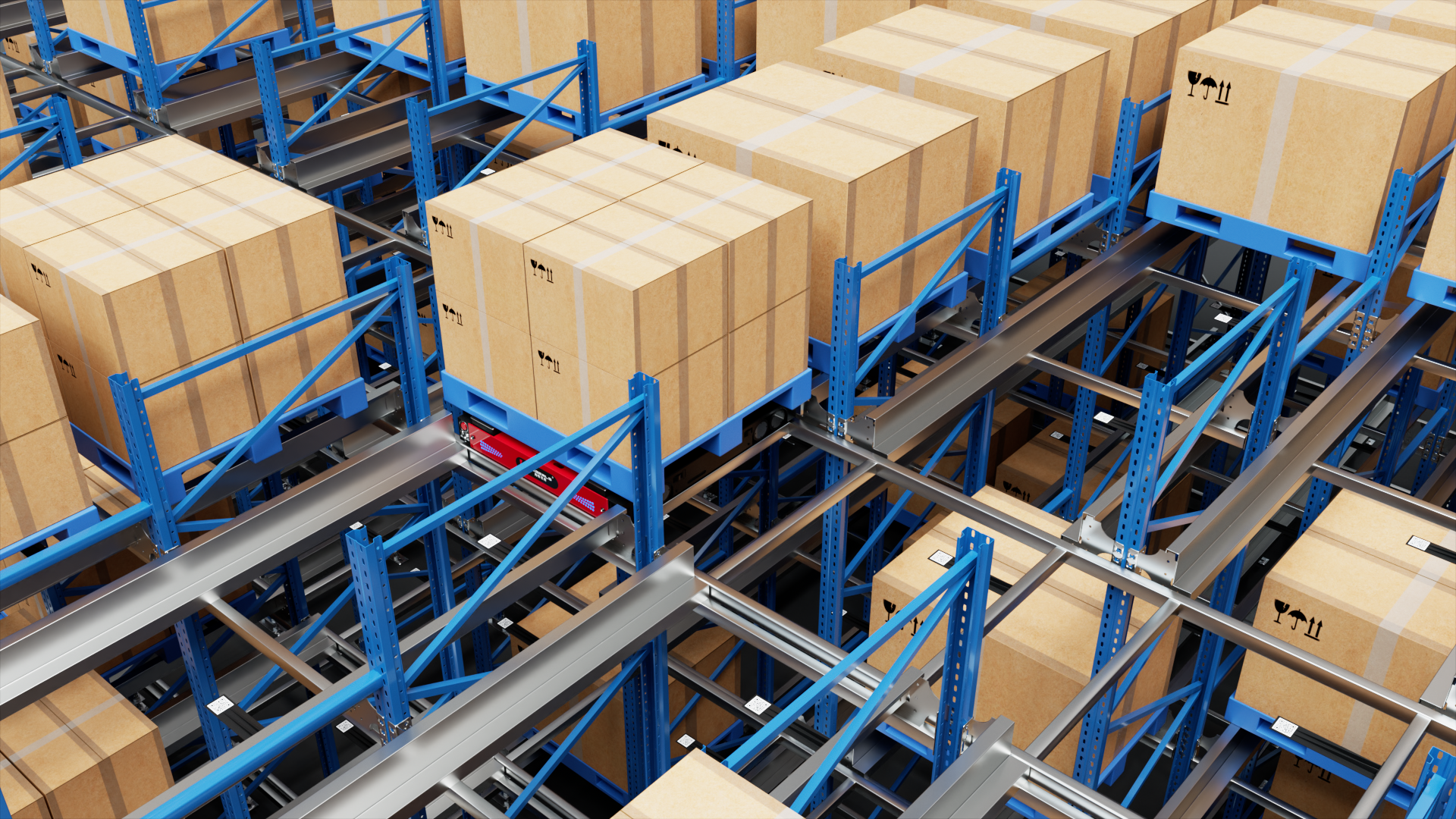
RFID Tracking
Radio-frequency identification uses tags and readers to identify tagged items through radio communication. Depending on the tag type, frequency, reader configuration, and environment, RFID can support identification without the direct line of sight generally required by conventional barcode scanning.
RFID can be useful for tracking reusable containers, pallets, high-volume asset flows, and goods passing through designated reading zones.
Advantages
-
Can identify multiple compatible tags in a suitable reading area.
-
May reduce manual scanning at selected checkpoints.
-
Supports automated data capture when integrated with the warehouse workflow.
-
Can improve visibility into tagged asset movements.
Limitations
-
Tags and reader infrastructure can increase costs.
-
Metal, liquids, tag placement, interference, and the physical environment can affect read performance.
-
A read event does not always identify an exact position.
-
Reader zones and event-processing logic must be designed to avoid missed or duplicate movement records.
RFID is particularly useful when the business needs automated identification at defined checkpoints or when individual line-of-sight scanning is inefficient.
Real-Time Location Systems
Real-time location systems (RTLS) use technologies such as ultra-wideband (UWB), Bluetooth Low Energy (BLE), Wi-Fi-based methods, or other positioning approaches to estimate the location of tagged assets or devices.
The actual accuracy and update rate depend on the technology, hardware layout, environmental conditions, and system configuration.
RTLS may be appropriate when a warehouse needs more frequent location information about mobile assets, equipment, or tagged handling units.
It is important to distinguish location estimation from inventory management. Knowing the approximate position of a tagged pallet does not automatically confirm its SKU, quantity, order allocation, or inventory status. Those records must be linked through the software and operating process.
Computer Vision and Sensor-Based Tracking
Computer vision uses cameras and image-processing or AI models to recognize objects, labels, movements, and selected physical conditions.
Possible applications include reading labels, verifying pallet positions, identifying handling exceptions, or monitoring defined material-flow points.
Vision systems may reduce dependence on manual scanning in selected workflows, but their reliability depends on camera placement, lighting, occlusion, object appearance, and model performance.
Other sensors may provide information about equipment state, movement, weight, or environmental conditions. The right combination depends on the task being monitored.
WMS- and WCS-Based Tracking
Software platforms turn identification events and equipment messages into operational records.
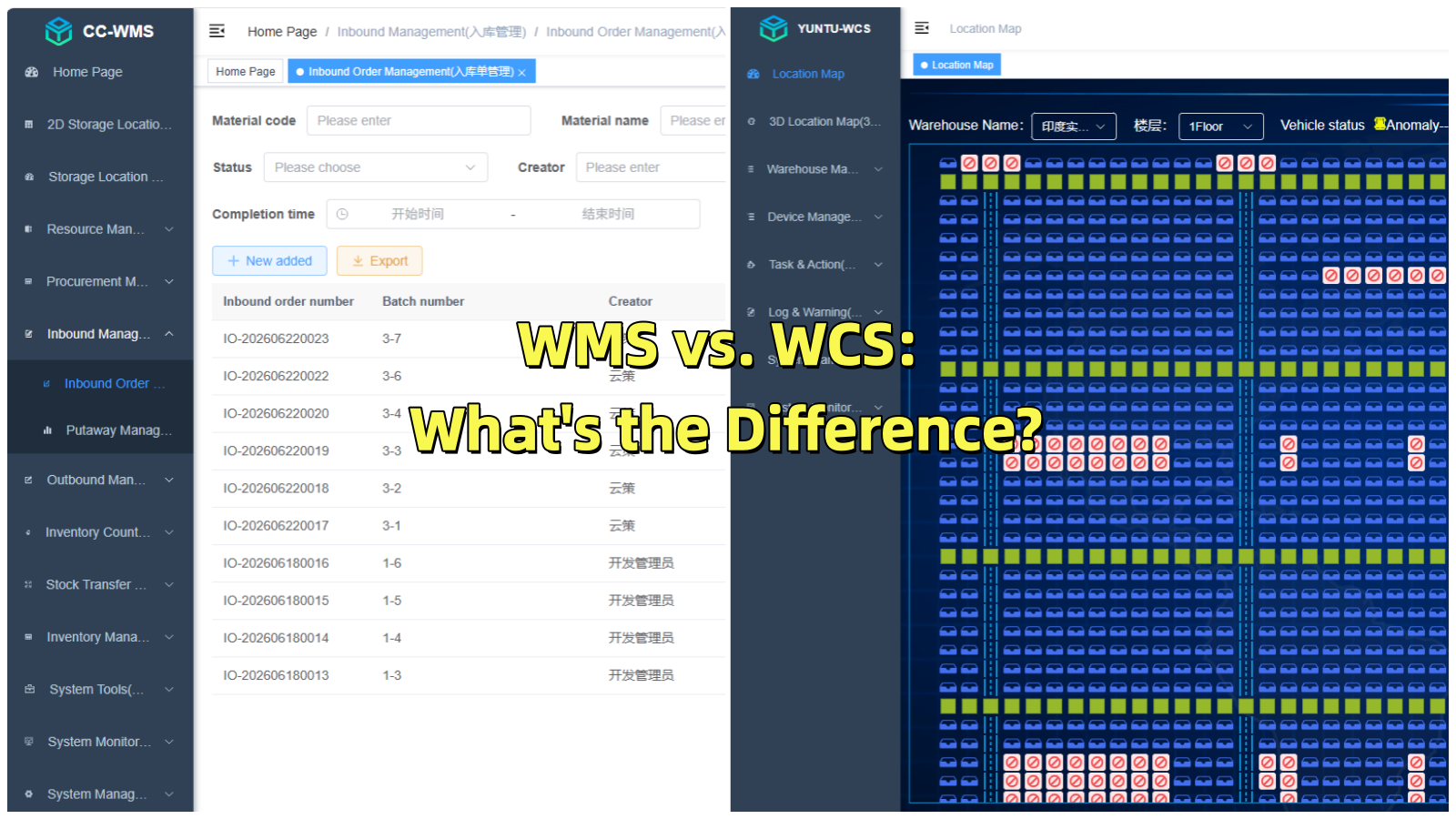
A WMS generally manages inventory, storage locations, orders, and warehouse transactions. A WCS coordinates connected automation equipment and may track task assignments, equipment states, and execution progress.
In an automated warehouse, a complete tracking design may use barcodes or RFID to identify goods, the WMS to maintain inventory records, and the WCS to coordinate and monitor equipment movements.
These components have different responsibilities and should not be treated as interchangeable.
5. Warehouse Tracking Technology Comparison
| Technology | Main tracking purpose | Typical strengths | Main limitations |
| Barcode | Product and location transactions | Low cost, widespread support | Usually requires scanning at defined checkpoints |
| QR code | Item, asset, and information identification | Can encode more information than many 1D codes | Still depends on optical scanning |
| RFID | Automated identification of tagged items | Can read compatible tags without direct line of sight | Read performance depends on environment and reader design |
| RTLS | Location estimation for tagged assets or devices | More frequent position updates in suitable deployments | Infrastructure, accuracy, and calibration requirements |
| Computer vision | Visual identification and process verification | Can support label reading and physical inspection | Sensitive to visibility and environmental conditions |
| WMS | Inventory and location records | Connects tracking events to warehouse workflows | Depends on accurate transactions and system integration |
| WCS | Equipment task and execution tracking | Coordinates automated material movement | Requires compatible equipment interfaces and control design |
These technologies often complement one another. For example, a warehouse may use barcode labels for inventory transactions, RFID for reusable containers, and WCS monitoring for automated shuttle movements.
6. Benefits of Warehouse Tracking Systems
Improved Inventory Accuracy
Accurate identification and transaction recording help reduce discrepancies between recorded inventory and physical stock.
The result depends on process discipline, correct master data, scan coverage, exception management, and reconciliation procedures. A tracking system cannot guarantee accuracy if inventory movements routinely bypass the defined workflow.
Better Inventory Visibility
Warehouse teams can more easily determine expected stock quantities, storage locations, and transaction histories when tracking records are complete and synchronized.
This visibility supports replenishment, order allocation, cycle counting, and operational decision-making.
Reduced Search Time
Reliable location records can reduce the time employees spend searching for products, pallets, or containers.
The benefit is greatest when location identifiers are consistent, movements are recorded promptly, and employees follow the assigned putaway and picking workflows.
Improved Traceability
Tracking records can connect products with receiving events, storage locations, movement history, and outbound orders.
For industries requiring batch, lot, or serial-number traceability, the system must capture the relevant attributes and preserve their relationships through each required transaction.
More Efficient Warehouse Operations
Automated identification at selected checkpoints can reduce repetitive manual data entry and help standardize warehouse processes.
When tracking is integrated with WMS and WCS platforms, the information may also support more coordinated task execution and equipment monitoring.
Better Exception Management
Tracking records can help identify missing scans, unexpected locations, duplicate events, or incomplete tasks.
A well-designed workflow can route these exceptions to the appropriate person or recovery process rather than allowing inconsistent records to accumulate.
7. Warehouse Tracking in Automated Warehouses
Tracking becomes more complex when a warehouse uses automated storage, multiple robots, lifts, conveyors, or other connected equipment.
The system must distinguish between three related types of information:
-
Inventory state: What goods are recorded in stock, in what quantity, and at which assigned location?
-
Equipment state: Which machine or robot is available, moving, working, charging, or reporting a fault?
-
Task state: Which operation has been assigned, started, completed, or interrupted?
These states are connected, but they are not identical.
Four-Way Shuttle Warehouse Tracking
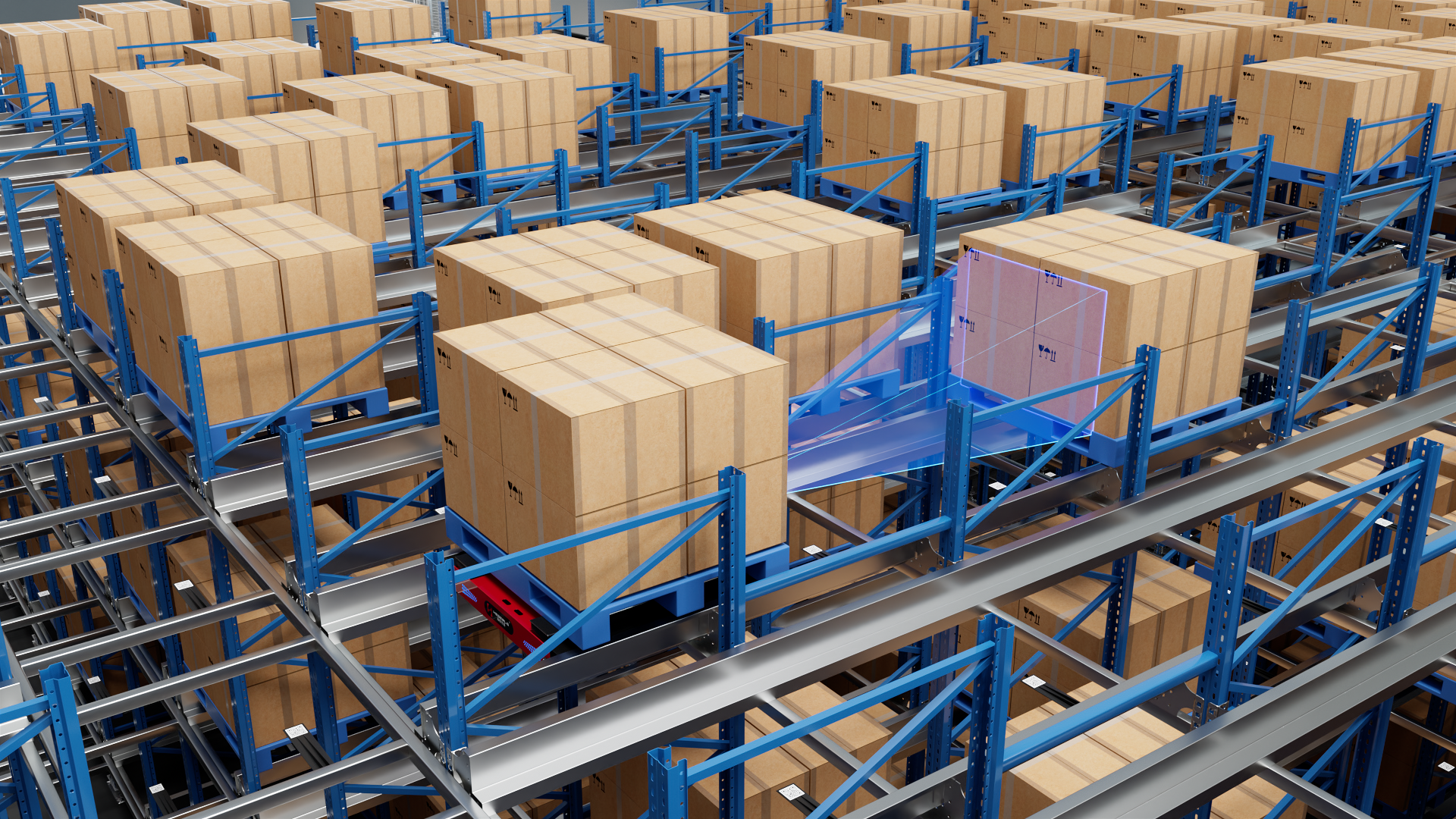
In a four-way shuttle warehouse, tracking may involve pallet identifiers, storage addresses, shuttle assignments, lift movements, and task progress.
A typical workflow could be:
-
A pallet identifier is captured during receiving.
-
The WMS records the inventory and planned storage location.
-
The WCS coordinates the required equipment task according to the configured architecture.
-
The shuttle and associated equipment execute the movement.
-
Equipment status updates are reported, and the inventory transaction is confirmed according to the system's completion rules.
The design must define what happens if the pallet cannot be stored at the expected location, the shuttle reports a fault, or the task is interrupted.
A location record should not be updated to reflect a completed movement merely because the task was dispatched. The system needs a reliable confirmation mechanism appropriate to the equipment and workflow.
Stacker Crane and AS/RS Tracking
In a stacker-crane or other AS/RS installation, tracking may connect the storage address, load identity, assigned machine, retrieval task, and completion status.
Sensors and equipment controllers can report movement and operating states, while warehouse software maintains the relevant inventory and task records.
The exact implementation depends on the equipment architecture, available sensors, and control interfaces.
AMR and AGV Tracking
Mobile robots may report their identity, task assignment, operating state, and position estimate when supported by the platform.
A fleet-management or control layer may use this information to coordinate transport tasks and identify blocked routes or unavailable vehicles.
However, the location accuracy and reporting frequency vary between systems. A robot's reported position should not be assumed to provide item-level inventory confirmation unless the relevant identification and transaction process supports it.
8. How Warehouse Tracking Integrates with WMS and WCS
A tracking solution creates more value when its data is connected to the software that manages warehouse operations.
A simplified architecture is:
Identification devices and sensors → Tracking events → WMS inventory and transaction records → WCS equipment tasks and status → Reporting and exception management
The actual flow may be bidirectional, and some events may be processed directly by the WCS or equipment controller before being passed to the WMS.
The Role of WMS
The WMS generally maintains inventory records, storage locations, order information, and warehouse transactions.
It uses tracking events to record receiving, putaway, transfers, picking, and dispatch, subject to the configured business rules.
The Role of WCS
The WCS coordinates equipment execution in an automated warehouse. It may monitor task status and equipment availability, manage movement sequences, and exchange status information with shuttle systems, lifts, conveyors, and other connected devices.
Data Synchronization and Exception Handling
A reliable design should specify:
-
Which system owns each inventory and equipment state.
-
How identifiers map to inventory records and storage addresses.
-
How completed and interrupted tasks are confirmed.
-
How duplicate, delayed, or missing events are handled.
-
How communication failures and equipment faults are reconciled.
-
How inventory discrepancies are investigated and corrected.
CC-WMS and YUNTU-WCS are part of Zhuku's warehouse software portfolio. The feasibility and scope of a specific tracking integration depend on the available interfaces, equipment compatibility, and project requirements.
9. Common Warehouse Tracking Problems and How to Address Them
Missing or Delayed Scans
If workers skip scanning steps, inventory records may not reflect actual stock movements.
Recommended approach: Define mandatory transaction points, simplify scanning procedures, train operators, and use exception reports to identify incomplete transactions.
Incorrect Storage Locations
A product may be placed in a different location from the one recorded in the system.
Recommended approach: Use clearly identified storage addresses, verify both item and destination, and require the relevant confirmation before completing the putaway transaction.
Duplicate or Inconsistent Events
Multiple reads or repeated scans may create duplicate transactions if the system lacks appropriate controls.
Recommended approach: Use event identifiers, transaction validation, suitable deduplication logic, and reconciliation procedures based on the source technology and workflow.
Poor RFID Read Performance
Metal surfaces, liquids, tag placement, and reader configuration may affect RFID performance.
Recommended approach: Test representative loads and tag positions, assess the physical environment, and validate the reader zones before deployment.
Incomplete Integration Between Equipment and Inventory Records
Equipment may complete a movement while the inventory system fails to record the corresponding transaction, or the software may report a task as complete before physical confirmation.
Recommended approach: Define system ownership, confirmation rules, retry behavior, event reconciliation, and recovery procedures across WMS, WCS, and equipment controllers.
Confusing Location Estimates with Inventory Accuracy
A positioning system may indicate where a tagged asset is located without confirming its contents or quantity.
Recommended approach: Combine location data with item identification and inventory transaction controls where the application requires both.
10. How to Choose the Right Warehouse Tracking System
The selection process should begin with the business problem rather than the technology itself.
Step 1: Define What Needs to Be Tracked
Determine whether the priority is SKU-level inventory, pallet locations, reusable assets, mobile equipment, or shipment milestones.
Different tracking targets require different identifiers, update methods, and levels of detail.
Step 2: Define the Required Update Frequency
Some operations need a reliable record at each transaction point. Others require frequent equipment status updates or more continuous location information.
Do not pay for real-time positioning if periodic transaction updates already meet the operational requirement.
Step 3: Evaluate the Warehouse Environment
Consider temperature, humidity, dust, lighting, metal structures, liquids, label durability, and the physical layout.
These factors influence scanner selection, RFID read performance, camera placement, and positioning infrastructure.
Step 4: Assess Integration Requirements
Confirm compatibility with the existing WMS, WCS, ERP, MES, inventory database, and connected equipment.
Define data ownership, interface behavior, transaction confirmation, and exception recovery before implementation.
Step 5: Calculate Total Cost of Ownership
Include labels or tags, readers, network infrastructure, software licensing, integration, installation, training, maintenance, and replacement costs.
Evaluate the cost against measurable outcomes such as reduced search time, fewer inventory discrepancies, improved traceability, or reduced manual scanning.
Step 6: Pilot and Validate
Test the solution using representative products, handling units, routes, environmental conditions, and operating workloads.
Measure read success, transaction completeness, location accuracy where applicable, exception rates, and the time required to resolve discrepancies.
Scale the system only after the pilot demonstrates that it meets the project's operational requirements.
11. Warehouse Tracking System Use Cases by Warehouse Type
| Warehouse environment | Common tracking requirement | Potentially suitable approach |
| Small manual warehouse | Inventory and bin-location records | Barcode labels and WMS |
| E-commerce fulfillment | SKU, tote, picking, and order tracking | Barcodes, scanners, and WMS integration |
| Manufacturing warehouse | Material, batch, and production-related traceability | Barcode or RFID with WMS/MES integration |
| Reusable-container operation | Pallet and tote movement | Barcode or RFID, depending on read requirements |
| High-density automated warehouse | Pallet location and equipment-task tracking | WMS/WCS integration with identification and equipment feedback |
| Multi-robot warehouse | Robot state, task progress, and selected location information | Fleet or control interfaces integrated with WCS where appropriate |
| Cold-storage warehouse | Inventory and movement records under low-temperature conditions | Environment-suitable labels, scanners, and hardware |
These are general starting points. The final selection should reflect the warehouse's products, workflows, environment, existing infrastructure, and required traceability level.
Why Choose Zhuku for Warehouse Automation Integration?
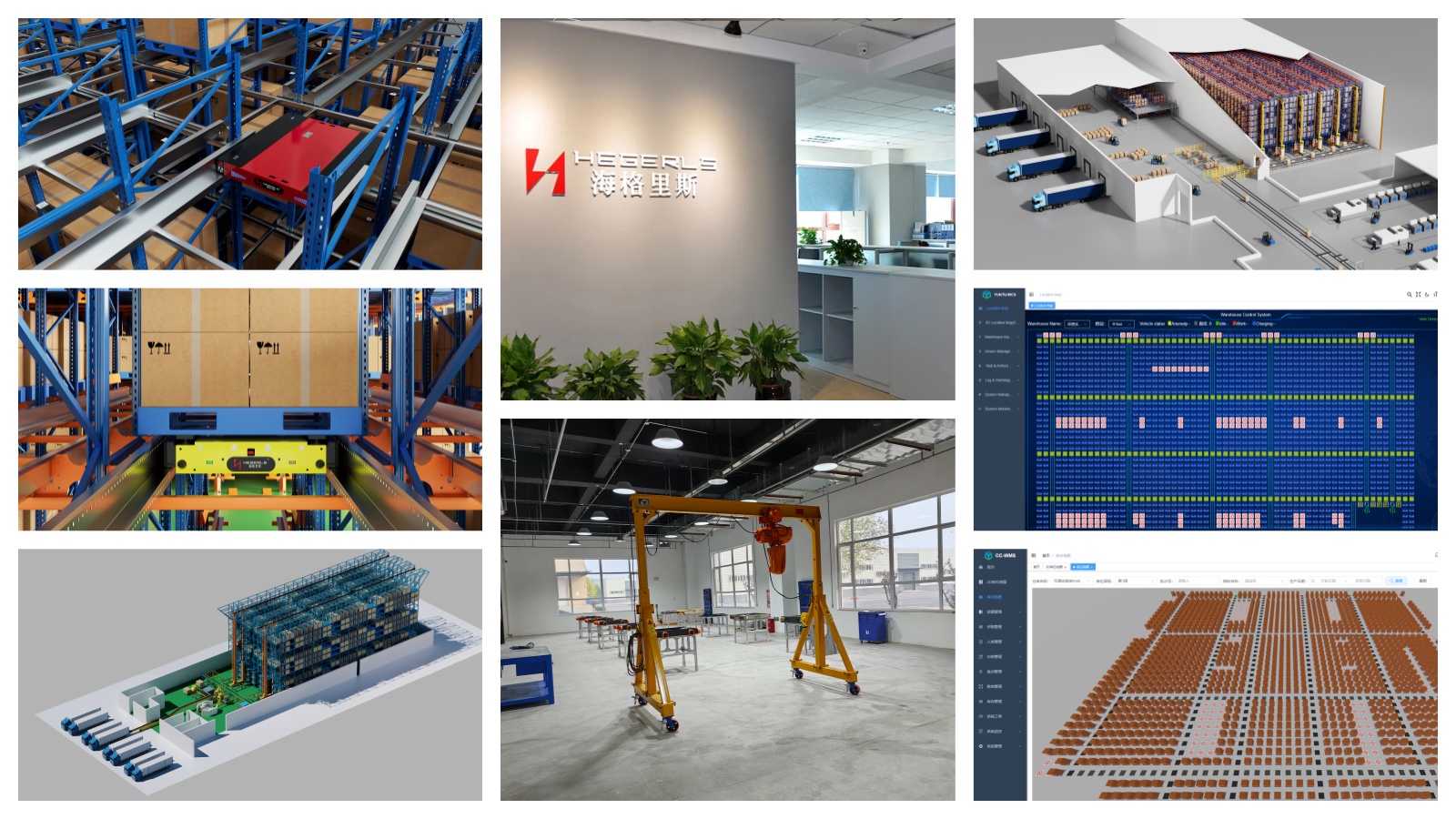
Zhuku (Hebei) Automatic Storage Technology Co., Ltd. provides warehouse automation and integrated storage solutions, including automated storage and retrieval systems, four-way shuttle systems, storage racking, and warehouse software.
For businesses that need warehouse tracking as part of a broader automation project, the key is to connect inventory identification with storage addresses, material movement, equipment status, and warehouse workflows.
CC-WMS and YUNTU-WCS are part of Zhuku's warehouse software portfolio. Their roles in a tracking project depend on the required functions, supported interfaces, connected equipment, and overall system architecture.
A project assessment should consider:
-
Product, pallet, tote, and asset identification requirements.
-
Storage-location structure and inventory transaction rules.
-
Barcode, RFID, vision, or other sensor requirements.
-
Automated equipment and robot interfaces.
-
WMS/WCS data ownership and synchronization.
-
Exception handling, reporting, and traceability requirements.
-
Expected operational improvements and total cost of ownership.
The objective is to create a reliable flow of information between physical goods, warehouse records, and automated equipment—not simply to install more tracking devices.
Conclusion
Warehouse tracking systems help businesses maintain visibility into inventory, storage locations, handling units, equipment, and material movement. Barcode and QR-code workflows remain practical for many transaction-based applications, while RFID, RTLS, computer vision, and equipment telemetry can support additional identification or location requirements.
The right solution depends on what needs to be tracked, how frequently information must be updated, and how the data will be used in warehouse operations.
For automated warehouses, tracking is most effective when identification, inventory records, equipment status, and task execution are connected through a clearly designed WMS/WCS architecture. Reliable transaction confirmation and exception handling are just as important as the tracking technology itself.
Planning to improve warehouse tracking or integrate tracking with an automated storage system? Share your warehouse layout in CAD or PDF format, along with product and pallet dimensions, storage requirements, operating workflows, and tracking objectives. Zhuku can help evaluate suitable warehouse automation and software integration options for your project.