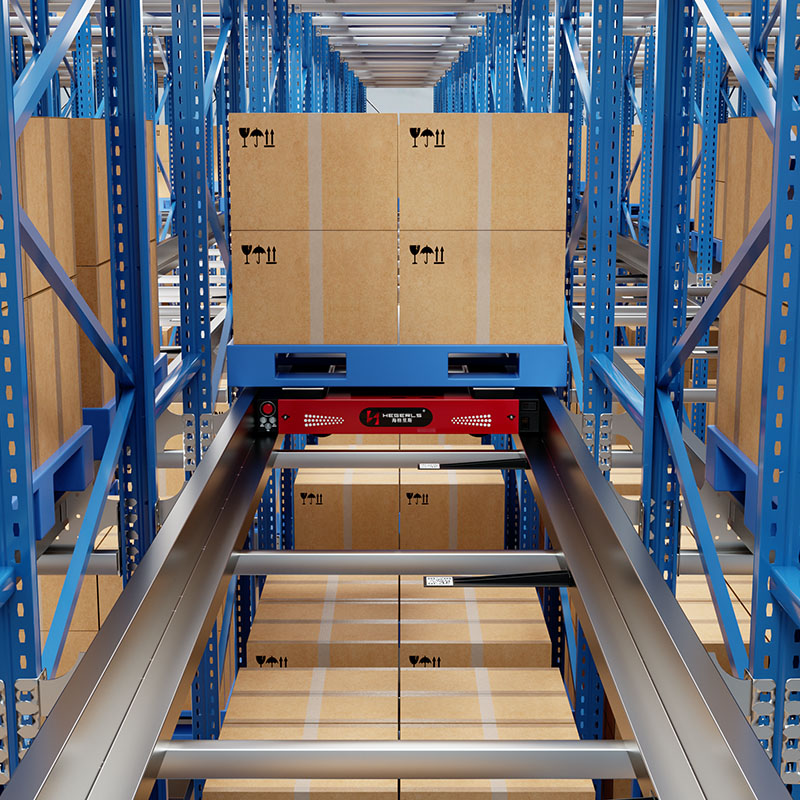
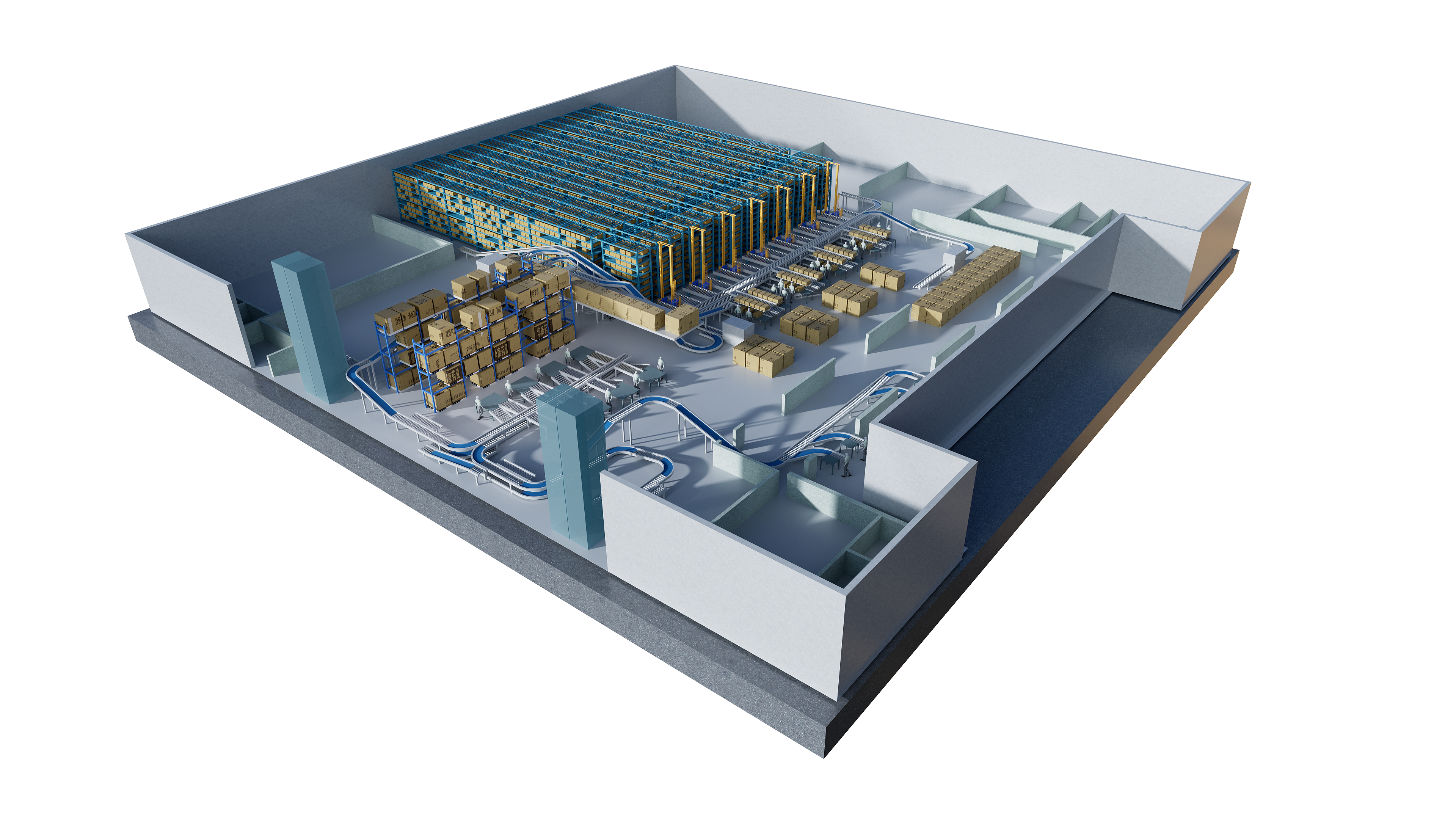
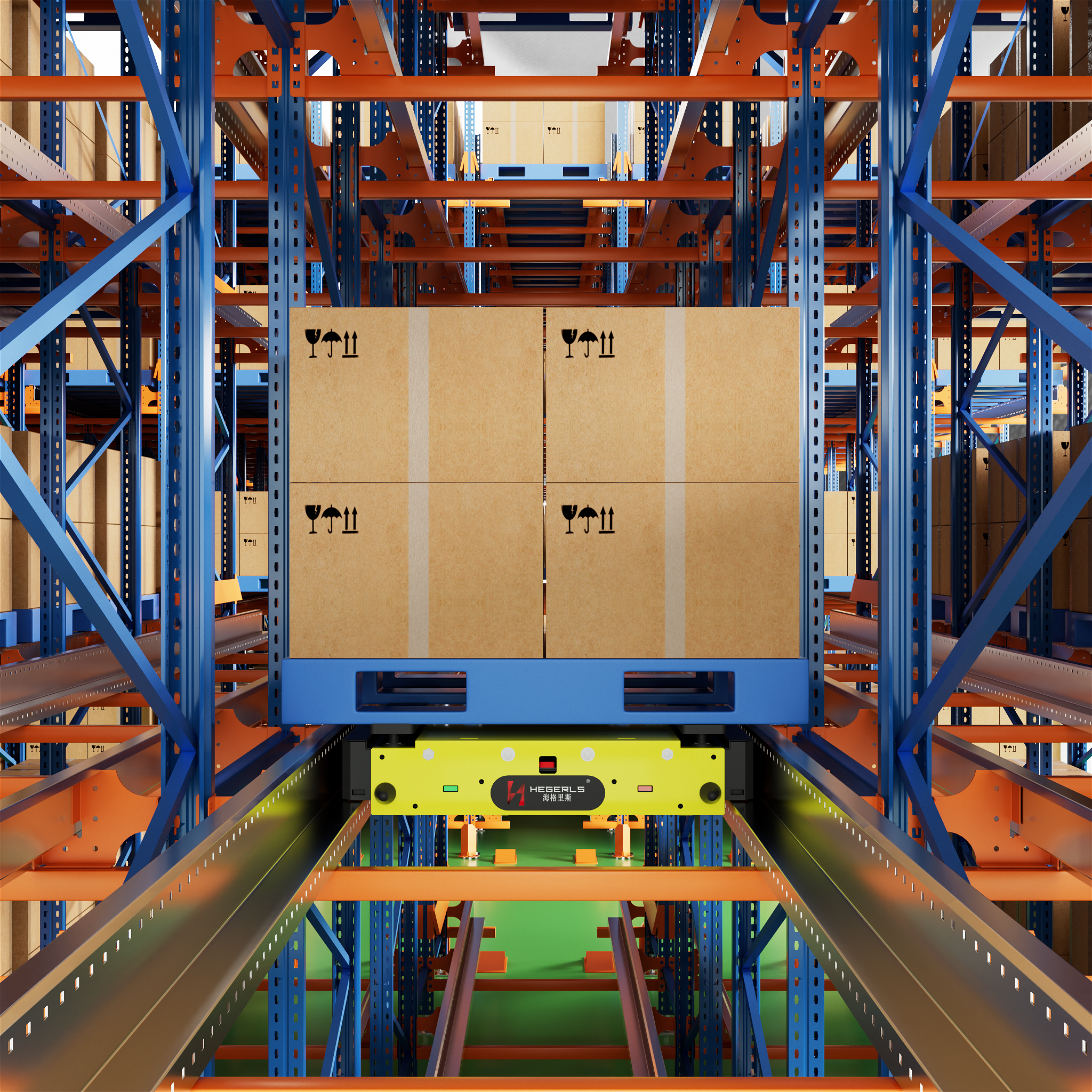
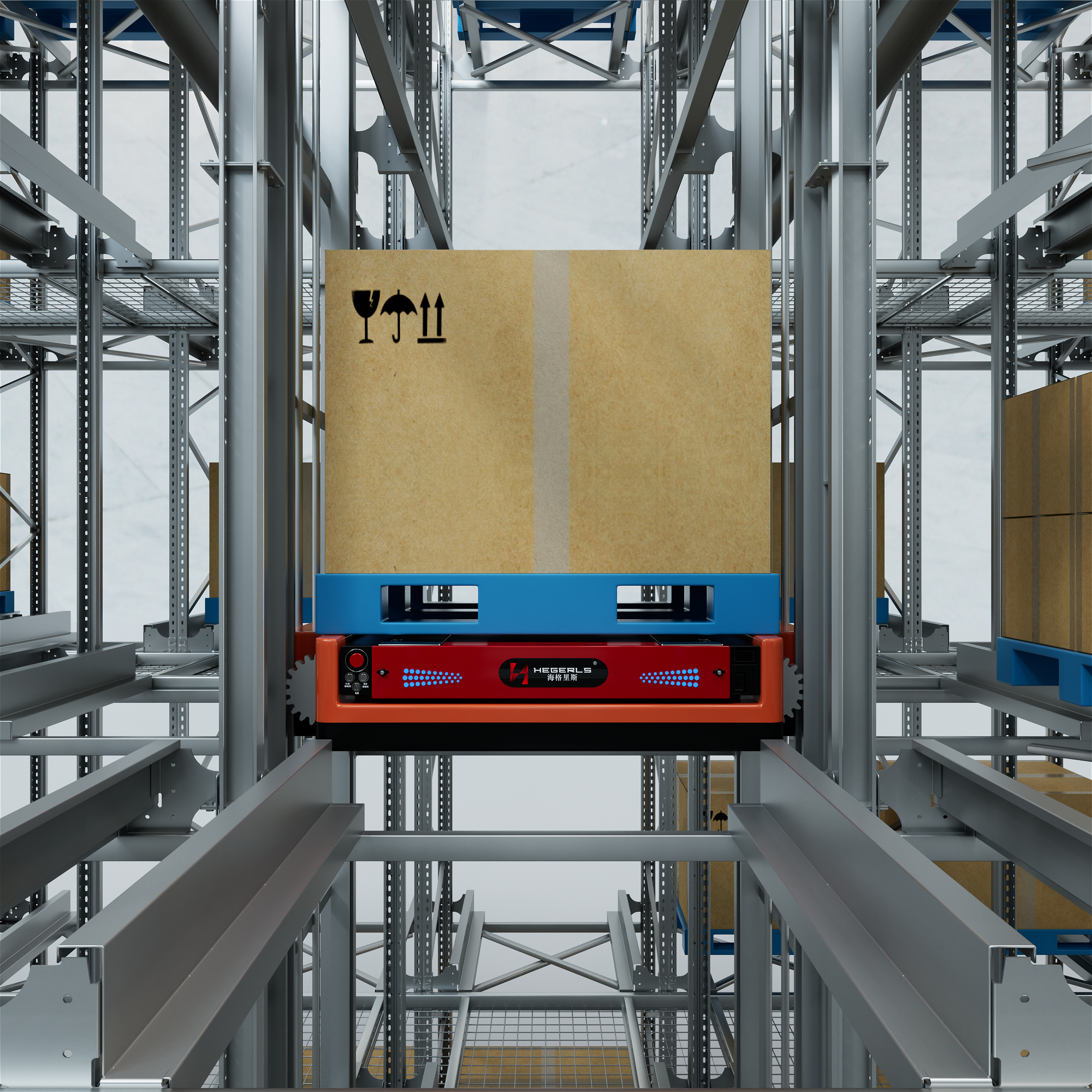
An automated warehouse uses integrated equipment, software and control systems to move, store, track and retrieve goods with reduced manual handling. By coordinating warehouse management software, automated storage and retrieval systems (AS/RS), conveyors, shuttle systems, lifts and robots, businesses can improve inventory accuracy, storage utilization and operational efficiency.
How does an automated warehouse work? The process typically begins when an order or inbound delivery is registered in the warehouse management system (WMS). The software assigns storage locations or retrieval tasks, while the warehouse control system (WCS) coordinates the connected equipment. Goods are then transported, stored, picked and dispatched according to predefined rules and real-time operating conditions.
The exact workflow depends on the warehouse layout, product characteristics, throughput requirements and automation technology. Understanding how these components work together is essential when planning an automated warehouse.
1. What Is an Automated Warehouse?
An automated warehouse is a storage and distribution facility that uses software-controlled equipment to perform some or most warehouse operations, including receiving, putaway, storage, retrieval, order picking, sorting and dispatch.
Automation can range from a single conveyor or pallet shuttle system to a fully integrated facility combining high-density racking, AS/RS, autonomous mobile robots (AMRs), conveyors and warehouse software.
The main objective is not simply to replace manual labor. It is to coordinate material flow, inventory information and equipment operations so that goods can move through the warehouse accurately, safely and efficiently.
Typical automated warehouse components include:
-
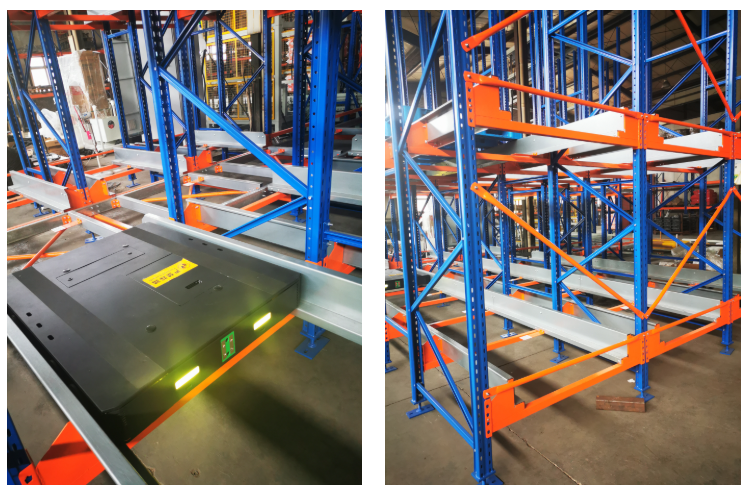
Storage infrastructure: Selective pallet racking, high-density shuttle racking, rack-supported structures and other storage configurations.
-
Material handling equipment: Conveyors, lifts, pallet shuttles, four-way shuttles, stacker cranes and robotic handling equipment.
-
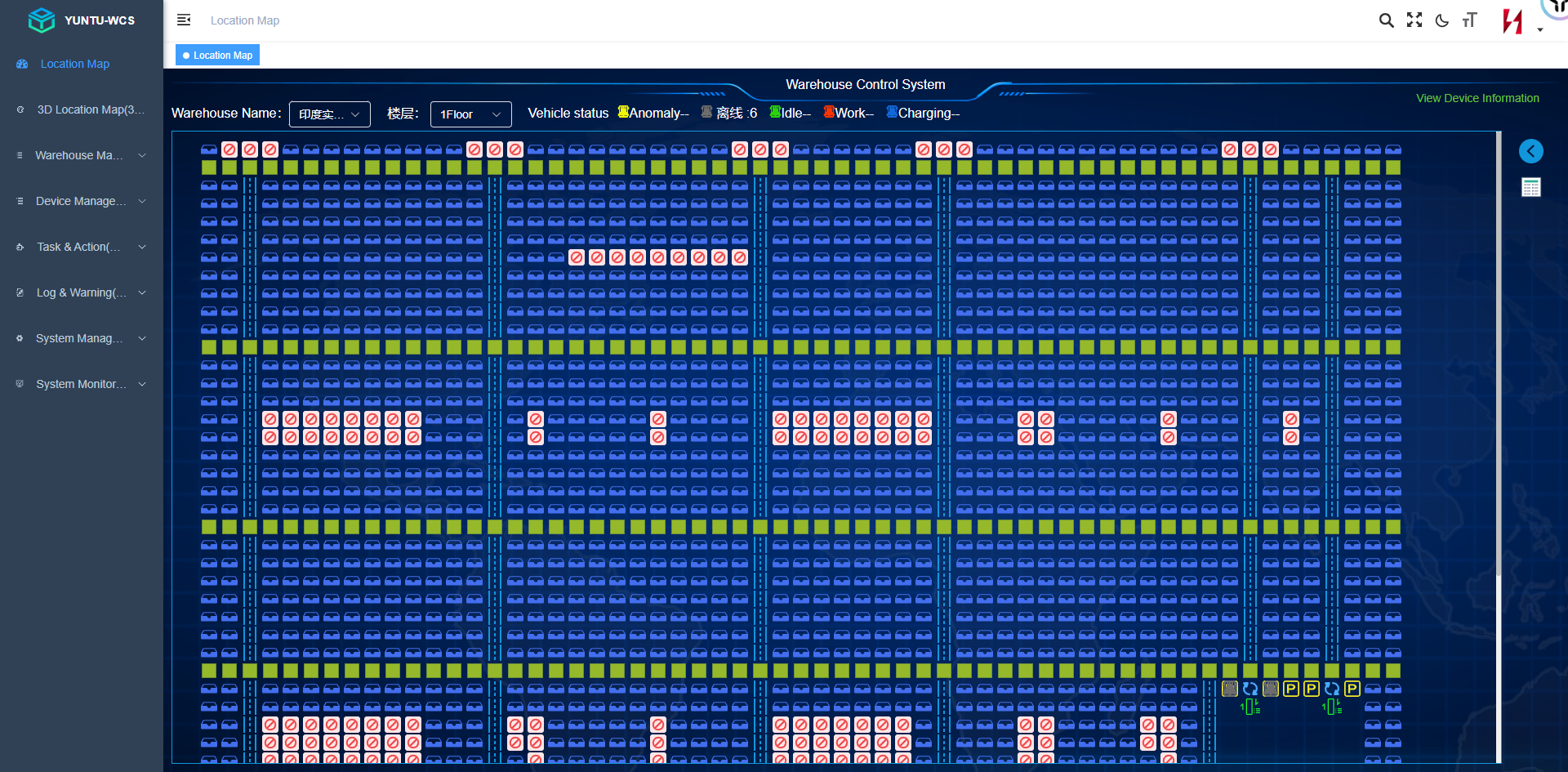
Warehouse software: WMS for inventory and process management, and WCS for coordinating automated equipment.
-
Identification technology: Barcode scanners, RFID where appropriate, sensors and location identification systems.
-
Integration interfaces: Connections with ERP, manufacturing execution systems (MES), order management platforms and other business applications.
2. How Does an Automated Warehouse Work Step by Step?
Most automated warehouses follow a connected workflow from inbound receiving to outbound dispatch. Although the equipment varies, the core operating stages are similar.
Step 1: Goods Are Received and Identified
When goods arrive, warehouse staff or automated receiving equipment register the delivery. The system verifies information such as product codes, quantities, batch numbers, dimensions and, where relevant, expiration dates.
Barcodes or other identification methods link the physical goods to their digital inventory records.
Depending on the design, receiving may involve manual unloading, conveyor transfer, dimensioning equipment, automated scanning or robotic pallet handling.
Why this matters: Accurate receiving data provides the foundation for inventory control, traceability and subsequent automated decisions.
Step 2: The WMS Assigns a Storage Location
After receiving and validation, the warehouse management system determines where the goods should be stored.
Location assignment can consider:
-
Available pallet positions and load capacity.
-
Product dimensions, weight and handling requirements.
-
SKU turnover and picking frequency.
-
Batch, expiration-date and traceability rules.
-
Temperature zones or other environmental requirements.
-
Storage strategy and future retrieval efficiency.
For example, fast-moving products may be placed in locations that support frequent retrieval, while compatible slow-moving products may be assigned to deeper storage lanes.
The objective is to balance storage density, accessibility, inventory rules and operational throughput—not simply to fill every available position.
Step 3: Automated Equipment Transports Goods to Storage
Once the storage location is assigned, the WCS or another equipment-control layer coordinates the necessary movements.
Depending on the system, goods may travel through conveyors, lifts, automated guided vehicles (AGVs), AMRs, shuttle systems or stacker cranes.
A typical pallet-handling sequence might be:
-
A conveyor receives the pallet from the inbound area.
-
Sensors and identification systems confirm its position and destination.
-
A transfer mechanism or lift moves the pallet to the required aisle or level.
-
A shuttle or stacker crane transfers it to the assigned storage location.
-
The control system confirms the movement and updates the equipment status.
Actual sequences vary by equipment architecture. A system may use several transfer stages or a direct handling mechanism.
Step 4: Goods Are Stored and Inventory Records Are Updated
After the pallet or tote reaches its assigned location, the system records the completed storage task.
The WMS maintains the inventory information, including the item, quantity, location and applicable batch or traceability details. The WCS manages equipment execution and reports task status.
This coordination helps keep the digital inventory aligned with physical warehouse operations.
However, automation does not eliminate the need for inventory controls. Reliable results still depend on accurate receiving, identification, exception handling, system integration and periodic verification.
Step 5: Customer Orders Trigger Retrieval Tasks
When an order is released, the WMS identifies the required goods and generates picking or retrieval instructions.
The system can prioritize tasks according to order deadlines, shipping schedules, picking waves, inventory rules and equipment availability.
For an automated pallet warehouse, a retrieval task may require a shuttle or stacker crane to collect a pallet and deliver it to a conveyor or workstation.
For a goods-to-person operation, robots or automated storage equipment bring totes or containers to a picking station, reducing the distance operators need to walk.
The software can also coordinate multiple orders to reduce unnecessary movements, subject to the warehouse's operating rules and equipment capabilities.
Step 6: Goods Are Picked, Sorted and Consolidated
Not every order requires a complete pallet. Many distribution operations must pick individual cartons, cases or pieces from stored inventory.
An automated warehouse may use several picking methods:
-
Pallet picking: Retrieves a full pallet for shipping or production.
-
Case picking: Selects cartons or cases from pallet, carton-flow or other storage locations.
-
Piece picking: Picks individual items, often using tote-based storage and goods-to-person workstations.
-
Automated sorting: Directs cartons or parcels to designated orders, destinations or shipping lanes.
Automation can support these activities through conveyors, sorters, robotic picking, pick-to-light systems and goods-to-person stations.
The appropriate configuration depends on order profiles, SKU characteristics, required accuracy and peak-hour demand.
Step 7: Orders Are Verified and Dispatched
Before dispatch, the warehouse completes applicable checks, consolidates order lines and assigns goods to the correct shipping destination.
Depending on the operation, this stage may include barcode verification, weighing, labeling, packaging, palletizing and automated sorting.
The WMS records the fulfillment status and exchanges relevant information with the ERP, order management or transportation systems.
The result is a connected process in which warehouse movements and order information can be tracked from receipt through shipment.
3. What Is the Role of WMS and WCS in an Automated Warehouse?
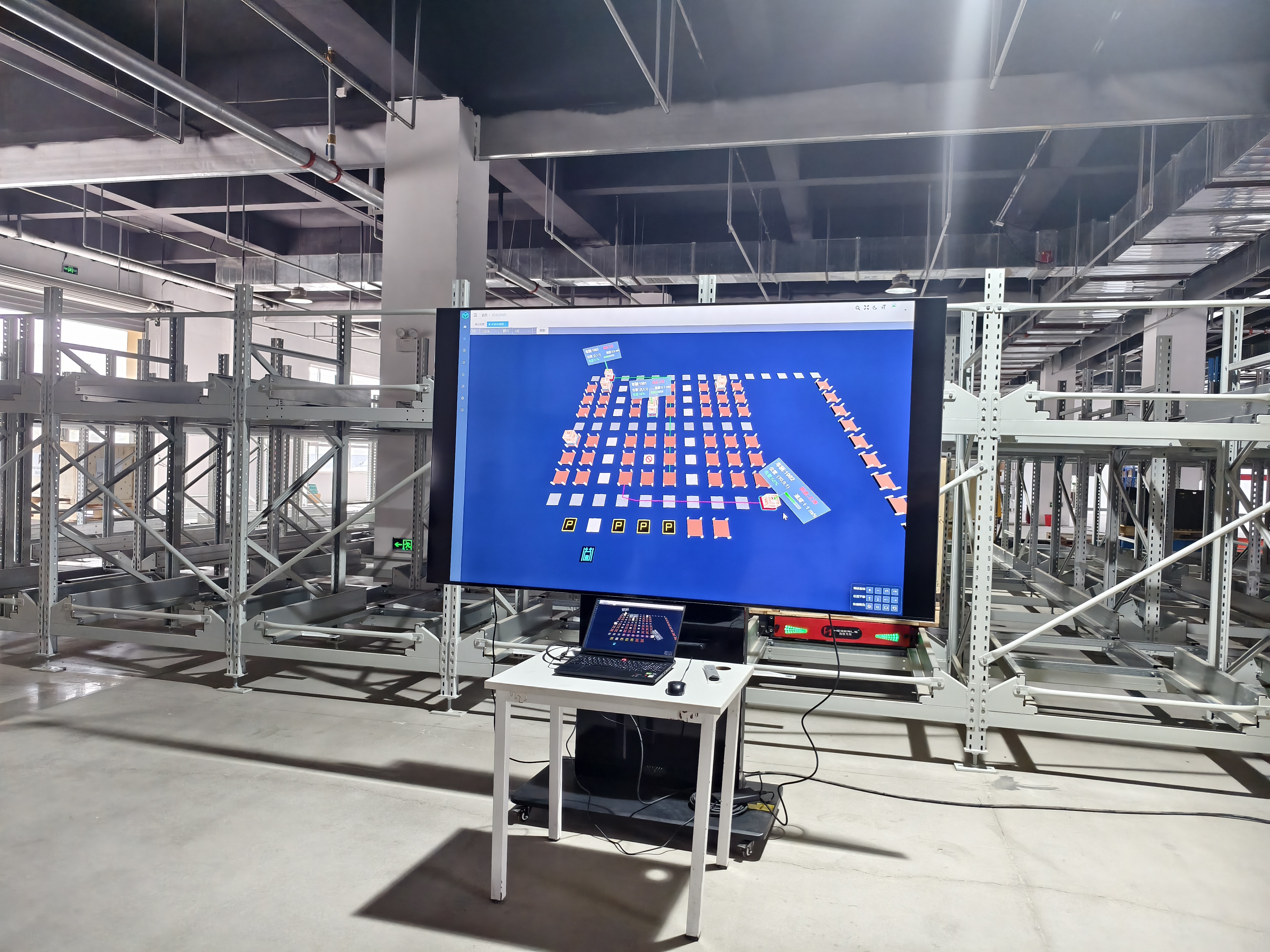
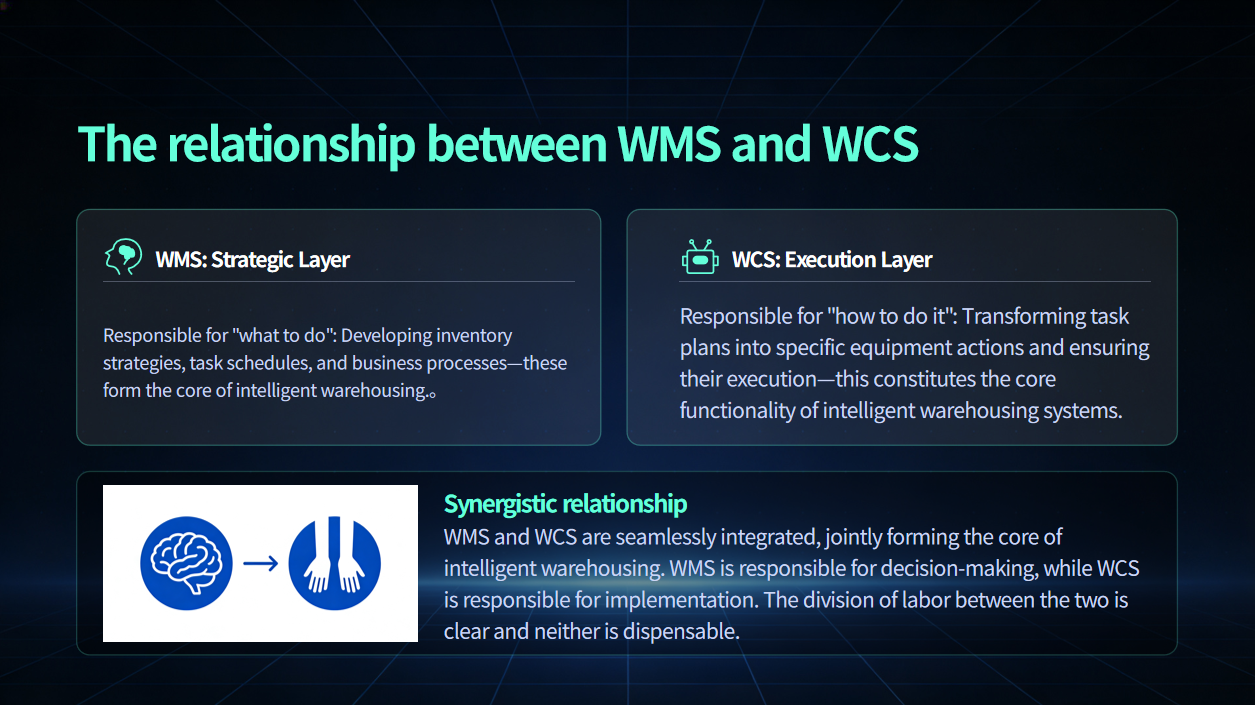
Warehouse automation requires both operational decision-making and reliable equipment execution. Two common software components are the warehouse management system (WMS) and warehouse control system (WCS).
| Function | WMS | WCS |
| Primary responsibility | Inventory and warehouse processes | Automated equipment coordination |
| Typical decisions | What to store, pick or replenish | How connected equipment executes tasks |
| Inventory records | Maintains inventory and location information | Reports equipment task and movement status |
| Equipment coordination | Issues or exchanges warehouse tasks | Coordinates compatible equipment and sequences |
| Exception handling | Manages inventory and process exceptions | Handles equipment status and execution exceptions |
| Business integration | ERP, MES and order systems | WMS and equipment control interfaces |
The WMS and WCS are complementary rather than interchangeable. A WMS can determine which pallet should be retrieved, while the WCS coordinates the shuttle, lift, conveyor or stacker crane required to execute that retrieval.
The precise division of responsibilities varies by software architecture. Some deployments use a warehouse execution system (WES) or other orchestration layer between warehouse management and equipment control.
How Does the Software Coordinate Equipment?
Consider a four-way shuttle warehouse receiving a retrieval request.
-
The WMS validates the inventory and creates a retrieval task.
-
The WCS receives the task and checks relevant equipment and route conditions.
-
The control system coordinates the required shuttle movements, lifts and transfer equipment.
-
Sensors and equipment feedback report task progress.
-
Completion status is returned to the relevant software layer, allowing inventory and order processes to continue.
This coordination is especially important when multiple vehicles, lifts and conveyors operate simultaneously. Effective scheduling must account for traffic, equipment availability, transfer points and operational priorities.
4. Which Equipment Makes an Automated Warehouse Work?
No single technology suits every warehouse. Different equipment performs different functions within the overall system.
| Technology | Main function | Suitable applications |
| Stacker crane AS/RS | Automated storage and retrieval along defined aisles | High-bay warehouses, pallet storage and structured layouts |
| Four-way shuttle system | Multi-directional pallet movement within a designed storage network | High-density storage, multiple aisles and flexible pallet handling |
| Two-way pallet shuttle | Moves pallets along dedicated storage lanes | Deep-lane storage and high volumes of similar products |
| Conveyors and lifts | Transfers goods between processes and elevations | Inbound, outbound and inter-zone material flow |
| AGVs and AMRs | Transports goods between designated operational areas | Flexible material transport and goods movement |
| Robotic picking and palletizing | Handles selected picking, packing or palletizing tasks | Repetitive handling and suitable product formats |
These technologies can operate independently or as part of an integrated solution. Their effectiveness depends on compatible interfaces, coordinated control, appropriate safety systems and a layout designed around the actual material flow.
How Does an AS/RS Fit Into the Workflow?
An automated storage and retrieval system (AS/RS) performs the storage and retrieval function within the wider warehouse process.
For example, a stacker crane may move pallets along a high-bay aisle, while a shuttle-based system may transport pallets through high-density rack lanes. Both rely on suitable storage infrastructure and control software.
A rack-supported warehouse can integrate the storage rack and building structure into a single engineered solution where the design, site conditions and applicable regulations permit. This approach can be particularly relevant to large or high-bay facilities.
The storage technology should be selected based on load characteristics, building height, required throughput, SKU profile, expansion plans and total project cost.
5. How Does an Automated Warehouse Improve Efficiency?
Automation can improve performance through several mechanisms, but actual results depend on system design and operating conditions.
Higher storage utilization: High-density racking and suitable automated storage technologies can reduce the space required for access aisles or increase the number of usable pallet positions within a given footprint.
Reduced manual travel: Conveyors, shuttles, cranes and goods-to-person systems can reduce forklift movements or operator walking, depending on the workflow.
Improved inventory visibility: Integrated identification, task confirmation and inventory records help reduce discrepancies and improve traceability.
More consistent task execution: Software-controlled workflows can standardize storage, retrieval and replenishment processes.
Better operational coordination: WMS/WCS integration can synchronize inventory tasks with equipment execution and downstream order processes.
Support for challenging environments: Properly engineered automation can support cold storage, high-bay facilities and other specialized applications, provided the equipment is designed for the relevant operating conditions.
Automation does not guarantee higher throughput in every scenario. Poorly balanced conveyors, insufficient picking capacity, equipment bottlenecks or inaccurate demand assumptions can limit the performance of an otherwise advanced system.
6. What Is the Difference Between a Manual and an Automated Warehouse?
| Factor | Manual warehouse | Automated warehouse |
| Goods movement | Primarily forklift and operator driven | Uses selected automated handling equipment |
| Storage decisions | May rely heavily on operator procedures | Can use software-based location assignment |
| Retrieval | Often requires operator travel and equipment handling | Can use automated retrieval and goods-to-person workflows |
| Inventory visibility | Depends on scanning discipline and process execution | Can improve through integrated identification and task confirmation |
| Labor requirements | More direct manual handling in many workflows | Shifts labor toward monitoring, exception handling and value-added tasks |
| Initial investment | Usually lower for basic operations | Generally higher due to equipment, software and integration |
| Flexibility | Can adapt quickly to simple process changes | Depends on system architecture and the cost of changing equipment or workflows |
| Maintenance | Mainly material-handling equipment and facility maintenance | Includes specialized automation, controls and software support |
A manual warehouse may remain the better choice for low-volume operations, highly variable goods or facilities with limited investment capacity. Automation becomes more attractive when measurable constraints—such as space, labor availability, accuracy or throughput—justify the investment.
The decision should be based on total cost of ownership, operational requirements and expected utilization rather than automation level alone.
7. Which Factors Should Be Considered When Designing an Automated Warehouse?
A reliable automated warehouse starts with process and data analysis, not equipment selection in isolation.
Key design considerations include:
-
Storage demand: Current and projected pallet positions, SKU count, inventory profile and seasonal variation.
-
Throughput: Required inbound and outbound pallets, cartons or order lines per hour, including peak demand.
-
Product characteristics: Dimensions, weight, packaging, pallet quality, handling constraints and environmental requirements.
-
Warehouse geometry: Building footprint, clear height, column locations, floor conditions, dock positions and fire-safety requirements.
-
Operating strategy: FIFO or LIFO requirements, batch traceability, replenishment, order consolidation and picking methods.
-
Software integration: Existing ERP, MES, WMS and other systems, together with required data interfaces.
-
Safety and maintenance: Equipment protection, personnel access, inspection procedures, spare parts and service response.
-
Growth and return on investment: Expansion capacity, implementation costs, energy use, maintenance and expected operational benefits.
A capacity estimate should distinguish between theoretical rack positions and usable operational capacity. The latter is affected by product compatibility, storage rules, accessibility, inventory peaks and system constraints.
A well-designed system balances storage density with the ability to complete inbound, retrieval and outbound tasks at the required rate.
8. What Does an Integrated Automated Warehouse Look Like?
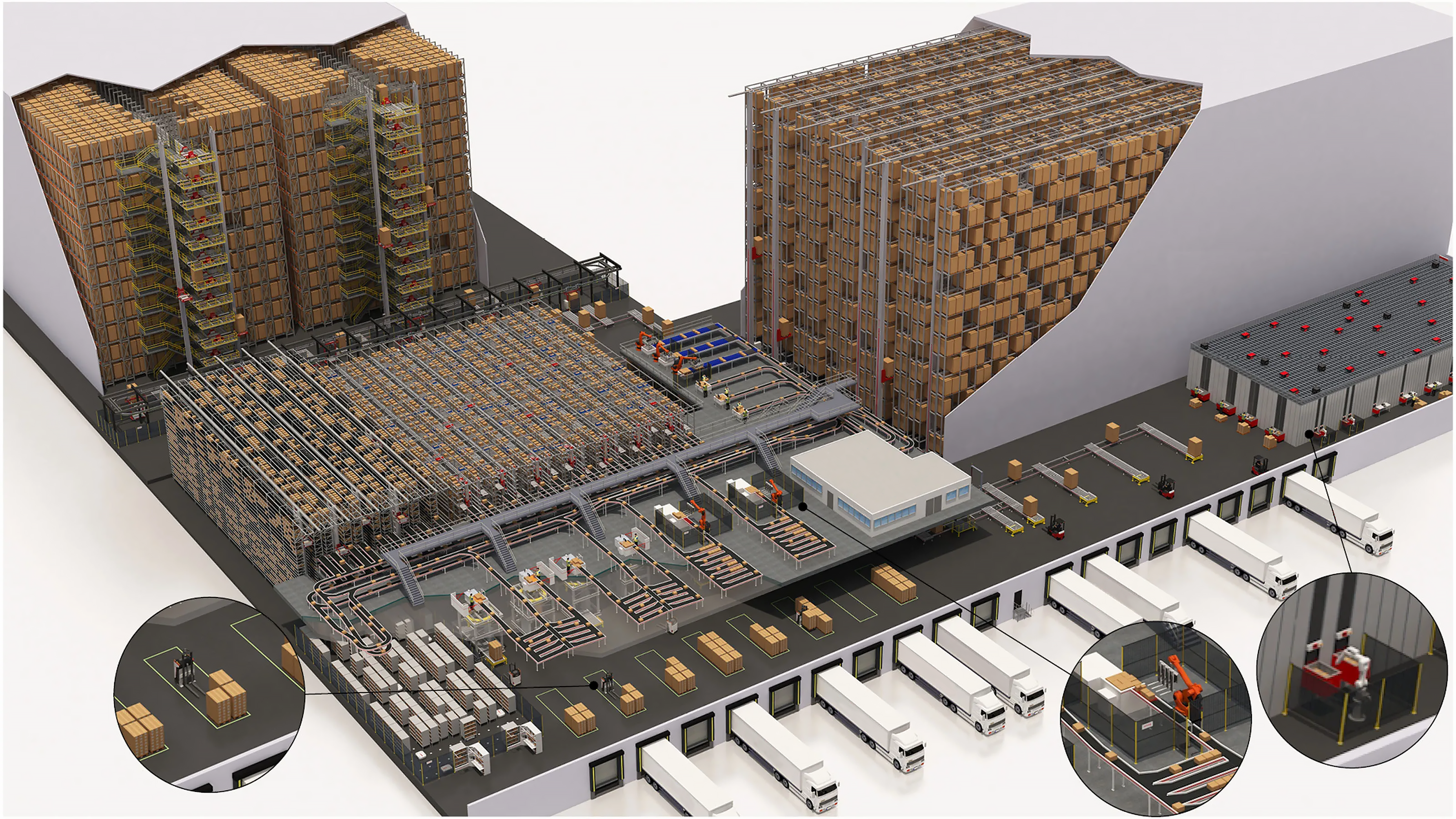
An integrated automated warehouse connects business software, warehouse processes and physical equipment into one operating architecture.
A simplified workflow is:
ERP / MES → WMS → WCS → AS/RS, shuttles, conveyors, lifts and robots → Warehouse operations
The ERP or MES supplies relevant business and production information. The WMS manages inventory and warehouse tasks. The WCS coordinates compatible automation equipment, which physically moves and handles goods.
Operational feedback then flows back through the control and management layers to update task status and inventory records.
For example, a manufacturing facility may receive raw materials, store pallets in an automated rack system, retrieve materials according to production demand and transfer them to designated production areas. Finished goods can then be stored and retrieved for outbound orders using the same integrated architecture or a connected material-flow system.
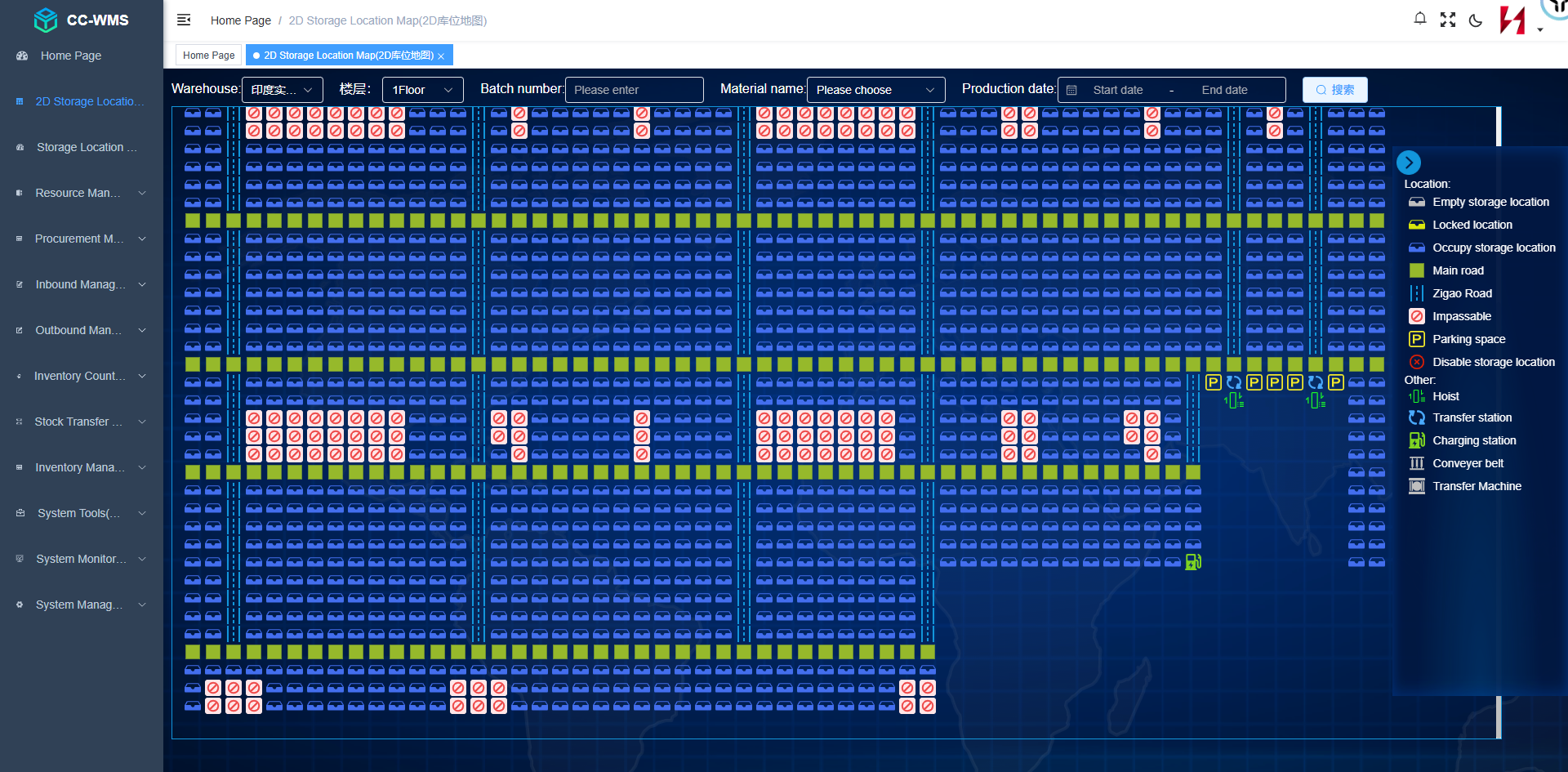
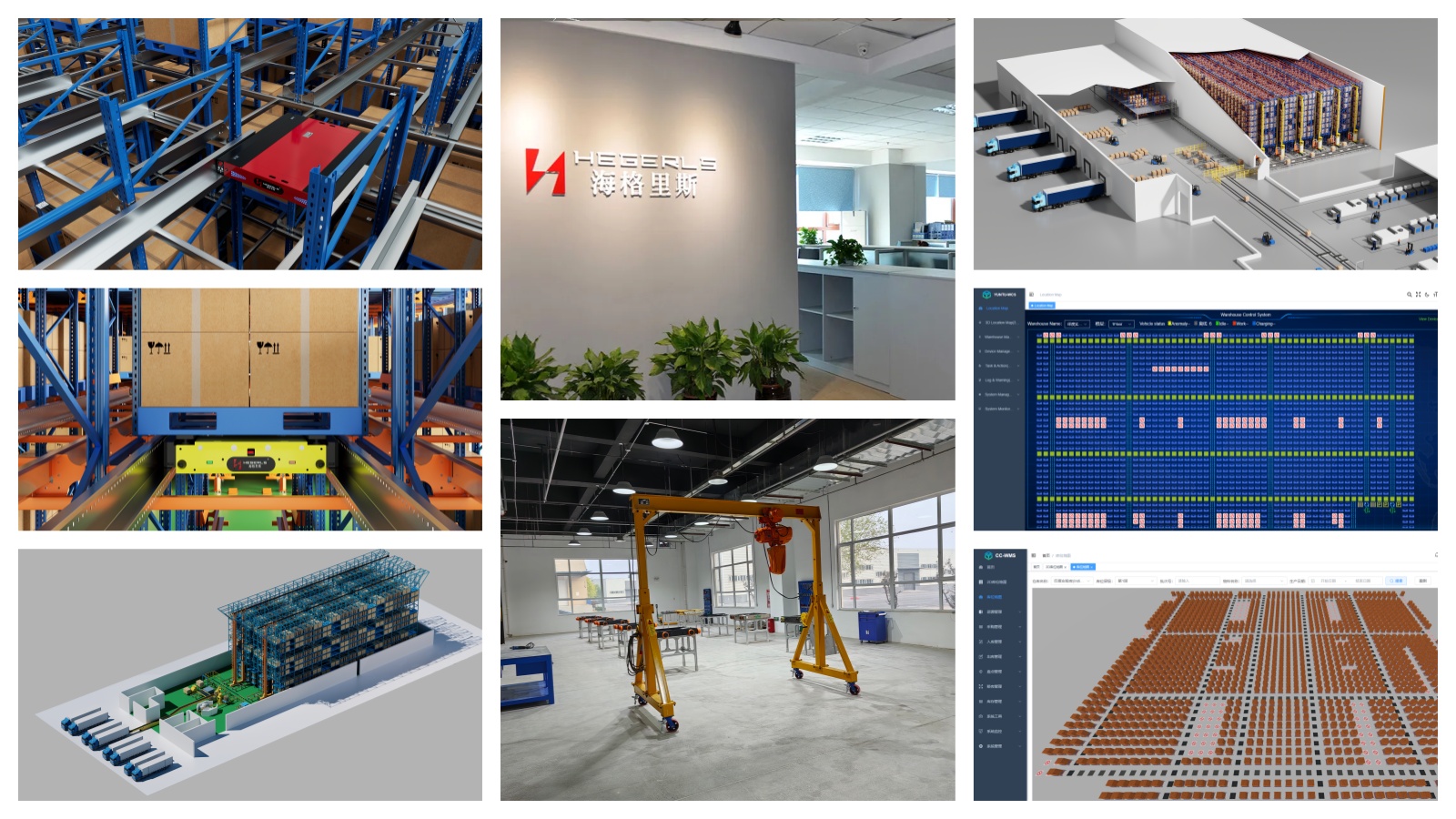
For Zhuku, the solution design may combine automated storage equipment, storage racks, material-handling systems and software such as CC-WMS and YUNTU-WCS. The specific configuration should be determined by the customer's warehouse requirements rather than assuming that every facility needs every technology.
9. Why Choose Zhuku for Automated Warehouse Integration?
Zhuku (Hebei) Automatic Storage Technology Co., Ltd. provides warehouse automation and storage system integration solutions designed around project-specific operational requirements.
The approach connects storage infrastructure, material-handling equipment and warehouse software so that the complete workflow can be evaluated as one system.
Depending on the project, the solution may include:
-
High-density pallet storage and automated racking.
-
Four-way shuttle systems and other AS/RS technologies.
-
Stacker cranes, conveyors and lifting equipment.
-
YUNTU-WCS equipment control and coordination.
-
System integration, commissioning and operational support.
The objective is to align storage capacity, throughput, equipment selection and software coordination with the customer's actual operating needs.
10. What Information Is Needed to Plan an Automated Warehouse?
A preliminary solution assessment is more accurate when it is based on real operating data.
Prepare the following information where available:
-
Warehouse CAD drawings, PDF layouts or hand-drawn sketches.
-
Building dimensions, clear height and column positions.
-
Pallet or carton dimensions, maximum load weight and SKU quantities.
-
Current and target storage capacity.
-
Average and peak inbound and outbound throughput.
-
Order profiles, picking requirements and inventory rotation rules.
-
Temperature, humidity, dust or other environmental conditions.
-
Existing ERP, MES, WMS or material-handling equipment.
-
Budget range, implementation schedule and future expansion plans.
Even if some data is unavailable, an initial review can identify the missing information and establish reasonable design assumptions for further validation.
Conclusion: How Does an Automated Warehouse Work?
An automated warehouse works by coordinating software-controlled decisions with physical equipment. The WMS manages inventory and warehouse processes, the WCS coordinates equipment execution, and technologies such as AS/RS, four-way shuttles, stacker cranes, conveyors and robots move goods through receiving, storage, picking and dispatch.
The right solution depends on storage requirements, throughput, product characteristics, building conditions and investment objectives. Effective integration matters as much as the individual equipment because every stage must work together to achieve the intended operational performance.
Plan Your Automated Warehouse with Zhuku
Send Your Warehouse Drawing → Get a Customized Automation Recommendation
Share your CAD/PDF layout or hand-drawn warehouse sketch, together with your pallet specifications, storage targets and throughput requirements. Zhuku can help assess suitable storage technologies, equipment configurations, warehouse workflow and software integration options for your project.